Data entry
Open SPSS
Once you are ready with your data collected through a questionnaire, open SPSS on your computer. Select the variable view from the bttom left tab.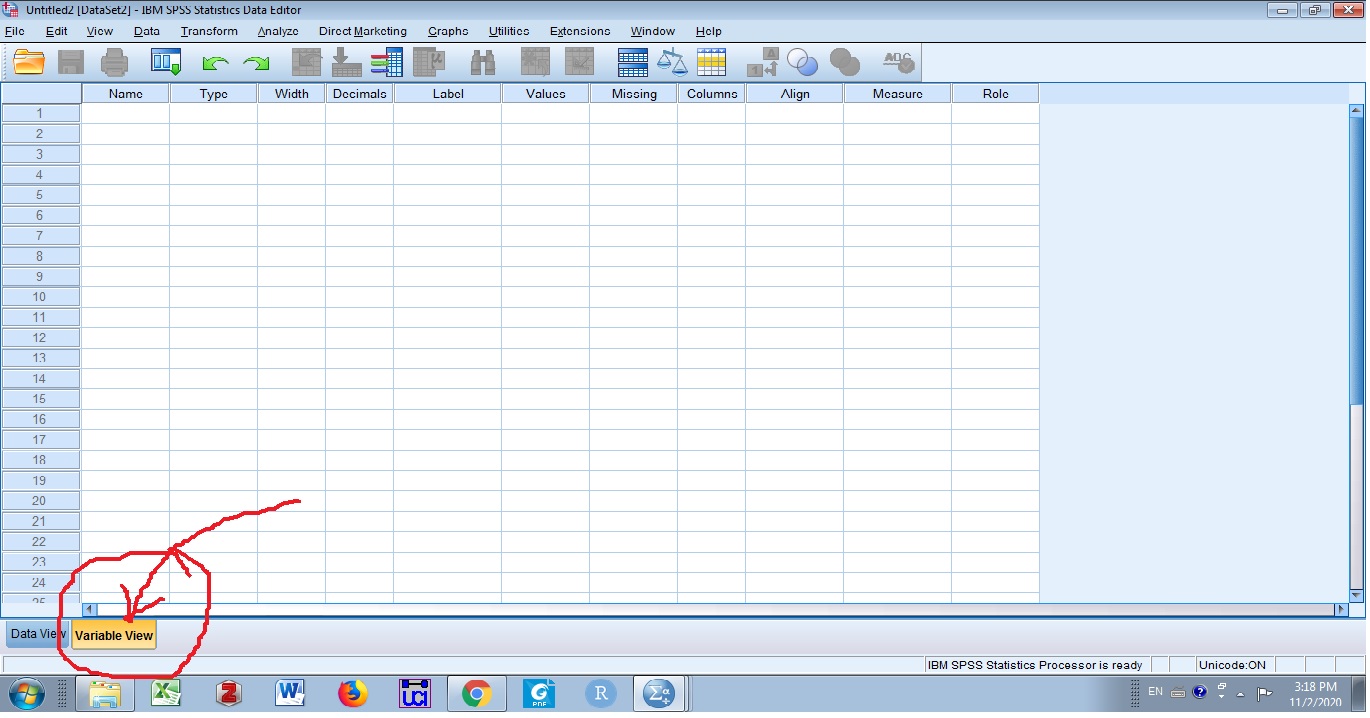
Defining variables
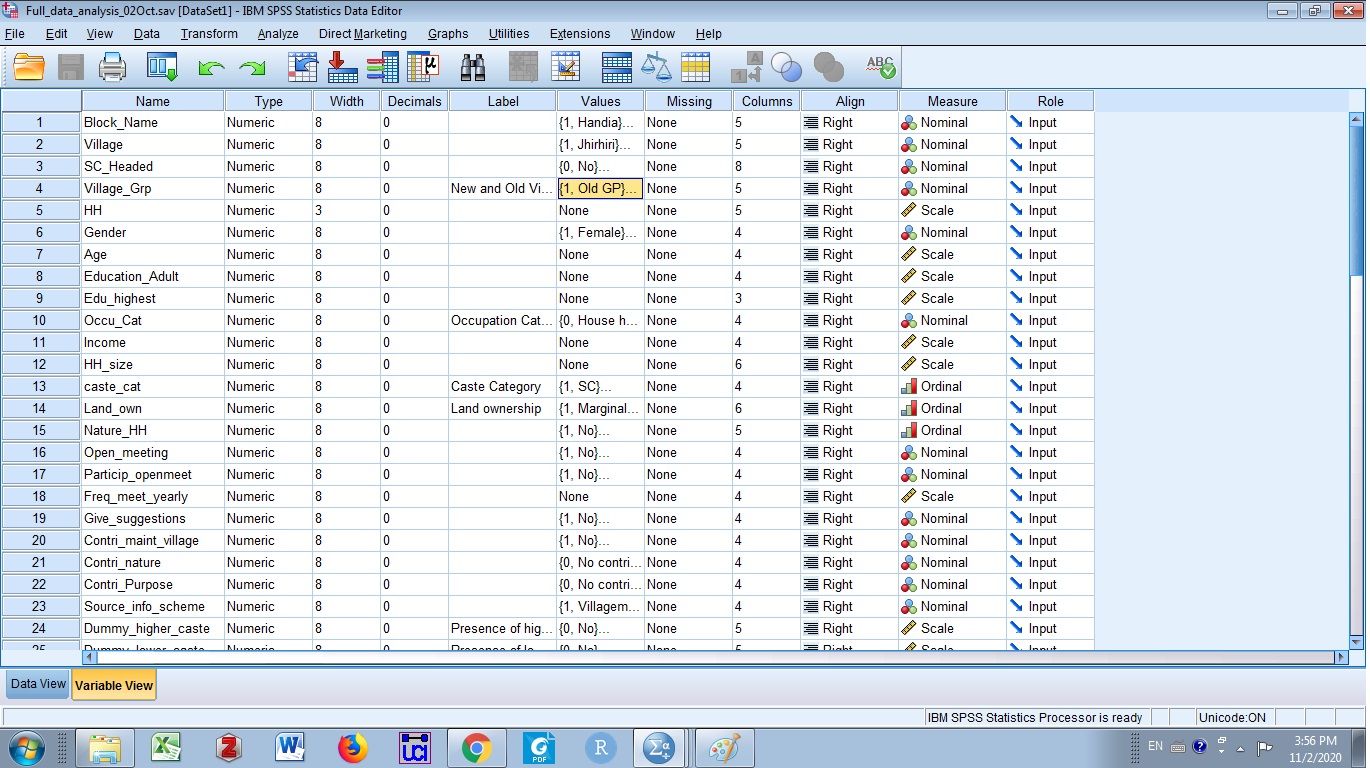
Enter the variables one by one and define thier property. Tyically, each question should give you a variable name that should go into the first column ‘Name’. For examole, Respondent’s gender/sex will give you a variable name ‘gender’.Spaces are not allowed in SPSS variable names. Since, we are codifying all the variables, type can be left as numeric. Width is the character width that your variable can take. For example, you surveyed 500 HHs so it is likly to consume only three digits space whereas someone earning 100000/- in your sample will make income variable to consume six digits space. Setting the width has direct impact on your computer memory. Decimal column tells if any variable has decimal values in it. If so, decide how many decimal places (2/3/4 etc.) the variable will occupy. For a high memory advance computer, the numerical and decimal width do not give much computational burden and user can work with default numerical and decimal width.
Labeling and Coding
Further, you would like to see the categories in variables in your result. For this, lables can be defined. For example, recall the gender variable. You might want the labels for its two categories e.g. male and female. Values are the critical columns and coding them can directly impact your results. Male and Female can both have 1 or 2 as coding values but it should be decided on the basis of your hypothesis. For example, if one wants to test the hypothesis males are more educated than females.If your data set has education levels coded on higher side (graduate=3,… below primary=1), make sure, you assign values 2 for males and 1 for females for a society with a low level female literacy rate.
Measurement
As we know, all the names and categorical variables (race, gender, caste) will be nominal and other measured data such as income, age and education should be fixed as scale. If you have grouped data measured in ranges e.g. income levels (low level, middle level and high level) and education levels(primary, highschool, graduates). You need to select the data measurement as ordinal. A filled-in example of variables is given below.